Proxy > Gmail Facebook Yahoo!

Showing Modal Progress Dialog in all Ajax Operation


Modal Progress Dialog
If you ever like to show a Modal Progress dialog like the above for any ajax operation no matter which Update Panel or Web Service call is responsible for it, the following code will do the same.
<%@ Page Language="C#" %>
<!DOCTYPE html PUBLIC "-//W3C//DTD XHTML 1.0 Transitional//EN" "http://www.w3.org/TR/xhtml1/DTD/xhtml1-transitional.dtd">
<script runat="server">
    [System.Web.Services.WebMethod()]
    public static string GetDate()
    {
        //Doing a fake delay for 3 seconds
        System.Threading.Thread.Sleep(3000);

        return DateTime.Now.ToString();
    }

    protected void Page_Load(object sender, EventArgs e)
    {
        if (!IsPostBack)
        {
            lblDate1.Text = lblDate2.Text = DateTime.Now.ToString();
        }
    }

    protected void btnDate1_Click(object sender, EventArgs e)
    {
        //Doing a fake delay for 3 seconds
        System.Threading.Thread.Sleep(3000);
        lblDate1.Text = DateTime.Now.ToString();
    }
</script>
<html xmlns="http://www.w3.org/1999/xhtml" >
<head runat="server">
    <title>Modal Dialog Progress</title>
    <style type="text/css">
        .modalBackground
        {
            background-color:#e6e6e6;
            filter:alpha(opacity=60);
            opacity:0.60;
        }
    </style>
</head>
<body>
    <form id="form1" runat="server">
        <asp:ScriptManager ID="ScriptManager1" runat="server" EnablePageMethods="true">
        </asp:ScriptManager>
        <fieldset>
            <legend>UpdatePanel</legend>
            <div>
                <asp:UpdatePanel ID="UpdatePanel1" runat="server">
                    <ContentTemplate>
                        <asp:Label ID="lblDate1" runat="server"></asp:Label>
                        <asp:Button ID="btnDate1" runat="server" Text="Get Date" OnClick="btnDate1_Click" />
                    </ContentTemplate>
                </asp:UpdatePanel>
            </div>
        </fieldset>
        <fieldset>
            <legend>PageMethods</legend>
            <div>
                <asp:Label ID="lblDate2" runat="server"></asp:Label>
                <asp:Button ID="btnDate2" runat="server" Text="Get Date" OnClientClick="return btnDate2_Click()" />
            </div>
        </fieldset>
        <asp:Panel ID="pnlProgress" runat="server" style="background-color:#ffffff;display:none;width:400px">
            <div style="padding:8px">
                <table border="0" cellpadding="2" cellspacing="0" style="width:100%">
                    <tbody>
                        <tr>
                            <td style="width:50%"></td>
                            <td style="text-align:right">
                                <img alt="" src="indicator-big.gif" />
                            </td>
                            <td style="text-align:left;white-space:nowrap">
                                <span style="font-size:larger">Loading, Please wait ...</span>
                            </td>
                            <td style="width:50%"></td>
                        </tr>
                    </tbody>
                </table>
            </div>
        </asp:Panel>
        <ajaxToolKit:ModalPopupExtender ID="mpeProgress" runat="server" TargetControlID="pnlProgress" PopupControlID="pnlProgress" BackgroundCssClass="modalBackground" DropShadow="true" />
    </form>
    <script type="text/javascript">

        Sys.Net.WebRequestManager.add_invokingRequest(onInvoke);
        Sys.Net.WebRequestManager.add_completedRequest(onComplete);

        function onInvoke(sender, args)
        {
            $find('<%= mpeProgress.ClientID %>').show();
        }

        function onComplete(sender, args)
        {
            $find('<%= mpeProgress.ClientID %>').hide();
        }

        function btnDate2_Click()
        {
            PageMethods.GetDate (
                                    function(result)
                                    {
                                        var lbl = $get('<%= lblDate2.ClientID %>');

                                        if (document.all)
                                        {
                                            lbl.innerText = result;
                                        }
                                        else
                                        {
                                            lbl.textContent = result;
                                        }
                                    }
                                );

            return false;
        }

        function pageUnload()
        {
            Sys.Net.WebRequestManager.remove_invokingRequest(onInvoke);
            Sys.Net.WebRequestManager.remove_completedRequest(onComplete);
        }

    </script>
</body>
</html>
The main trick is hooking the two special events of Sys.Net.WebRequestManager class. This class is responsible for managing all kinds of communication with the server, even a manual invoke of a Sys.Net.WebRequest class will bring this class into action. It fires the invokingRequest before making an Ajax call and fires the completeRequest once the method completes. We are simply showing/hiding the modal popup extender in these events.
[Read More...]


Compress Asp.net Ajax Web Service Response - Save Bandwidth


In this post, I will show you how to compress the Asp.net Ajax Web Service response, To understand the benefits of compression let us start with a simple example, Consider you have an web service which returns a large data like the following:
[WebMethod()]
public string GetLargeData()
{
    using (StreamReader sr = File.OpenText(Server.MapPath("~/DataFile.txt")))
    {
        return sr.ReadToEnd();
    }
}
The web method reads an large text file (around 100KB) and returns it contents. Once we call this method from a page the network activity in the firebug shows like the following:
Plain
Now, lets examine the HttpModule which compress the Ajax Web Service response. The following shows the complete code of this module:
using System;
using System.IO;
using System.IO.Compression;
using System.Globalization;
using System.Web;


public class JsonCompressionModule : IHttpModule
{
    public JsonCompressionModule()
    {
    }

    public void Dispose()
    {
    }

    public void Init(HttpApplication app)
    {
        app.PreRequestHandlerExecute += new EventHandler(Compress);
    }

    private void Compress(object sender, EventArgs e)
    {
        HttpApplication app = (HttpApplication)sender;
        HttpRequest request = app.Request;
        HttpResponse response = app.Response;

        //Ajax Web Service request is always starts with application/json
        if (request.ContentType.ToLower(CultureInfo.InvariantCulture).StartsWith("application/json"))
        {
            //User may be using an older version of IE which does not support compression, so skip those
            if (!((request.Browser.IsBrowser("IE")) && (request.Browser.MajorVersion <= 6)))
            {
                string acceptEncoding = request.Headers["Accept-Encoding"];

                if (!string.IsNullOrEmpty(acceptEncoding))
                {
                    acceptEncoding = acceptEncoding.ToLower(CultureInfo.InvariantCulture);

                    if (acceptEncoding.Contains("gzip"))
                    {
                        response.Filter = new GZipStream(response.Filter, CompressionMode.Compress);
                        response.AddHeader("Content-encoding", "gzip");
                    }
                    else if (acceptEncoding.Contains("deflate"))
                    {
                        response.Filter = new DeflateStream(response.Filter, CompressionMode.Compress);
                        response.AddHeader("Content-encoding", "deflate");
                    }
                }
            }
        }
    }
}
Next, register this module in the web.config like the following:
<httpModules>
    <add name="ScriptModule" type="System.Web.Handlers.ScriptModule, System.Web.Extensions, Version=1.0.61025.0, Culture=neutral, PublicKeyToken=31bf3856ad364e35"/>
    <add name="JsonCompressionModule" type="JsonCompressionModule"/>
</httpModules>
This time the network activity shows like the following:
Compressed Json
So by adding this little module, we have saved 74KB. Now consider the impact of this in an highly traffic ajax web application :-).
[Read More...]


Nokia not to release Belle update on October 26


Nokia not to release Belle update on October 26 Mobil phone manufacturer, Nokia's employee has hinted that the its much anticipated Belle update will not be released on October 26 during the Nokia World 2011.
Several rumors circulating on the internet claim that Nokia might be planning to release the new version during the event in London. The company has not announced any launch date for the new software but has only hinted that it will come in eth coming future.
"As you all know we are NOT announcing any dates for our software updates in advance," wrote a company employee on the Nokia Europe forum. "At the moment our focus first is to get Symbian Anna out to our customers in the US, Canada & Australia. Symbian Belle IS coming - but definitely not on 26th October as some blogs are claiming."
The Nokia World is the company's annual event where it announced new products and systems. This year the event will take place on October 26 and 27 in the British capital, where it will also reveal some Windows Phone mobile phones.
The company has said that it will launch its new `Nokia 603' at the event on October 26.
The new handset is expected to be powered by its Symbian Belle OS. Nokia 603 will come with a 1 GHz processor, a touchscreen with 360 x 640 pixel resolution, WiFi, Bluetooth and HSPA+"HSPA connectivity. The handset will also have a 5 megapixel full focus allowing users to record videos with high quality. There are reports suggesting that the company will also release a Symbian Belle update for phones running on Symbian Anna on October 26, the first day of the event.
[Read More...]


10 Great Scientists of the World


Scientists have enormous contribution in the advancement of human civilization. Throughout the history of the world, many scientists have dedicated their lives for research and innovation. Some of them even faced a lot of torture for their theories but they continued their mission and thus we are now in a modern world. I have made a list of 10 great scientists in the history. Well, naturally, I had to leave out a lot of great figures. However, I feel that my list represents some of the greatest scientists ever.
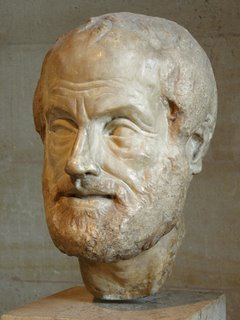
Aristotle
Aristotle is the Great philosopher who had a vast knowledge in different disciplines. Studying different subject he contributed a lot in each of those subjects. He contributed in physics, poetry, zoology, logic, rhetoric, politics, government, ethics, and biology. This laurel Greek philosopher was born in Stagira in 384 BC. His father Nicomachus was a physician to the king Amyntas III of Macedon’s court and it is believed that their ancestors also held this position. Earlier in his life he was taught by his father at home and the medical knowledge he got from his father led him to investigate natural phenomenon later on. At the age of 18 he admitted in to the young Greek aristocracy run by Plato, another Great Greek philosopher, and Aristotle became the most favorite student of Plato.
As a scientist Aristotle made a good contribution which was very influential for the development of the science over the year. Mainly he spent most of his life researching the natural science and he did the researches without making reference to the Mathematics which was later proven as the weakness of his research by the scientists. His natural science oriented research includes botany, zoology, physics, astronomy, chemistry, and meteorology, geometry and many more. He was also the teacher of the Great warrior Alexander the Great. This great philosopher died n 322 BC.

Sir Isaac Newton
Newton was also a man of versatile quality. He was physicist, mathematician, astronomer, alchemist, and natural philosopher in a row. His contribution in the development of science is a special one. He I best known for his explanation of Universal Gravitation and three laws of motion, and he was able to prove that the reason of both the motion of objects on Earth and of celestial bodies are controlled by the same Neutral laws. These findings could make a revolutionary change in the development of science. In mechanical science his great contribution was in optics. He could make a reflecting telescope. He also made some research on light and stars. His research on General binomial Theorem helped to be introduced today’s Calculus.
Newton was born to a farmer family but before three months of his birth his father died and then he was brought up to his maternal grandmother as her mother remarried. Newton could show his talent from his early life in The King’s School in Grantham and later he joined to the Cambridge University where he took his higher degrees.


Galileo Galilei
Galileo is considered as one of the greatest contributor to the development of Science. It is undoubtedly true that Galileo could first helped science to come out of the trend of Aristotle. He was physicist, astronomer, and philosopher and his best known contributions lie in the development of Telescope, first two laws of motion and also in Astronomy. He is also considered as the father of astronomy, father of physics and father of science.
He was born to a mathematician and musician father Vincenzo Galilei and his mother was Giulia Ammannati in Italy. He was taught form his very early life. He was the first scientist who followed the way of quantitative experiments in his research where the result was based on mathematics. He had to suffer a lot from the church for his theories.


Charles Robert Darwin
There can be debate about whether Charles Darwin (12 February 1809 – 19 April 1882) is the greatest scientist of all time but there is no doubt that he is the most controversial scientist of all time. On the Origin of Species by Means of Natural Selection (1859)- this is the book that has made Darwin immortal in the world history. This book has changed the course of science radically. It is perhaps an irony that Darwin studied theology and instead of becoming a clergy, he became naturalist.
Darwin went to different parts of the world and carried out extensive research. His theory about origin of human beings caused widespread controversy. Darwin stated that human beings have evolved through many changes and survival of the fittest was in important factor in the development of animal world. Darwin’s theory still causes passionate debate among his supporters and opponents.

http://www.crystalinks.com/darwin.jpg
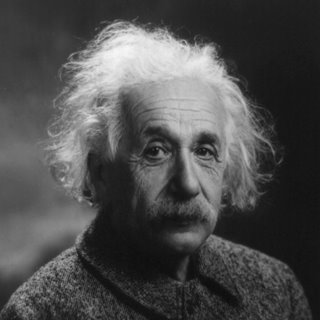
Albert Einstein
Einstein is the great scientist of the twentieth century and notable physicist of all time. It is told that he had learning disability in his childhood. He could not talk till he was three and could not read till he was eight. Despite such problems he later became the noble prize winner for his contribution to the Physics. His theory of relativity is considered as a revolutionary development of Physics. He got Noble Prize in Physics in 1921 for his explanation of the Photoelectric Effect and for his research in Theoretical physics.

Thomas Edison
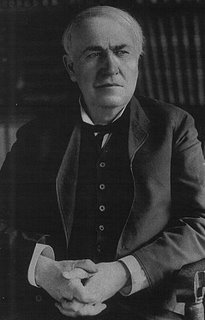
Edison is the great inventor who has over 1000 patents and his inventions are in various fields used in our daily life. In his early life he was thought to have a learning disability and he could not read till he was twelve and later he himself admitted that he became deaf after pulling up to a train car by his ears. He first could able to turn the attention of the world after inventing Phonograph. His one of the most popular invention is the Electric Bulb. He also developed the telegraph system. His invention of carbon telephone transmitter developed the carbon microphone which was used in the telephoned till 1980. He also became a prominent businessman and his business institution produced his inventions and marketed the products to the general people.


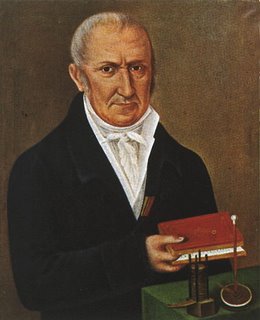
Alessandro Giuseppe Antonio Anastasio Volta
Volta was Italian physicist and he is best known for his contribution to the development of electric battery. This benevolent scientist is also regarded as one of the founder of the electric age. His parents sent him to the Jesuit school intending to make him a Jurist. He also taught in the University of Pavia for 25 year. After that in 1800 he could make voltaic pile which could produce steady electric current. He then worked on to develop the electric bulb. For his work in the electric development he was given a count by Napoleon. Emperor of Austria honored him naming him a professor of Philosophy at Padova. For his honor an electric unit Volt was named after him.

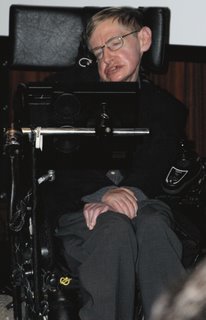
Stephen Hawking
This famous scientist is considered as the greatest scientist of the twentieth century after Einstein. Haw king’s big bang theory and black hole theory has turned the attention of the world. He is the professor of Mathematics of the University of Cambridge. Though he is now about to be paralyzed, he is teaching through a computer supported a machine by which his world are compiled. His physical illness could not make him stop form his research. His famous book is “A Brief History of Time”.

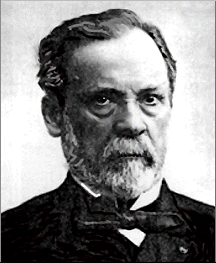
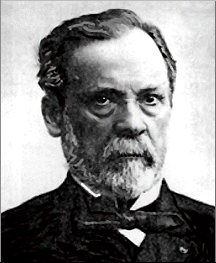
Louis Pasteur
He is one of the most famous contributors in the medical science. He first introduced the germ theory of diseases. This is regarded as the base of today’s microbiology. He found out some of the notion of the microbe and he could find out that the viruses were not detectable through microscope. Another important contribution of Pasteur is to protect harmful microbes in a way called “Pasteurization” where harmful microbes are destroyed by hitting the food. He is undoubtedly the most influential scientist in medical science.

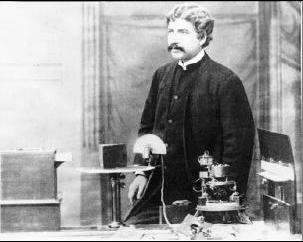
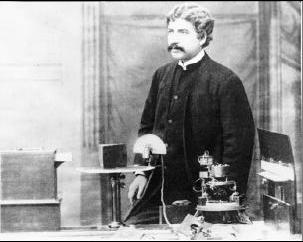
Sir Jagadish Chandra Bose
He was the first renowned Bengali scientist who had an important contribution in the invention of Radio and microwave optics. He was born in Mymensingh in Bengal which is the current Munshiganj District in Bangladesh. He studied in Hare school in Kolkata and then he got his B.A. in Science degree from Calcutta University. Then he went to England and got a B.A. degree from Cambridge University and a B.Sc. from London University. After coming back to the country he started teaching Physics in the Presidency College at Kolkata. In his teaching career he had to prove his quality and talent as he was the first Indian to teach Science at the college. In 1894 he started to research on Radio wave to make wireless communication equipments. At the same time Italy’s Marconi also was researching on this project. He first invented "iron-mercury-iron coherer with telephone detector" and he is the first person to use a semiconductor junction to catch the radio waves. It is said that his work on millimeter wavelength made him 50 years ahead. Considering such things it is said that he was the real inventor of Radio but due to his less seriousness towards patent and the communication gap made Marconi to be regarded as the inventor of Radio.
After that he contributed in plant where he could make some vital theory of ascent of sap. In this research he showed that some living cells in the endodermis junction are the reason for the ascent of sap.


Guglielmo Marchese Marconi
Marconi is a Nobel laureate physicist from Italy. He is best known for his invention of Radio and he first introduced wireless telegraph system. He was born to a landowner father Giuseppe Marconi and his mother was Annie Jameson. He was very interested to science form his early life. He initially started working on electromagnetic wave or radio waves invented by Heinrich Hertz. Then after a long research he could figure out such a technology to communicate without wire. After his invention, he marketed this equipment for the commercial purpose and at that time he got a competitor free market in the U.S.


[Read More...]


Google Search Tips and Tricks


Google Search Tricks:
Well let me tell You what actually google tricks mean. Google tricks/google tips, does not mean hacking google, Using the below Google operators, we can get the desired google result very quickly. Well we can name this as hidden google secrets or Advanced google searching.                              .                                                                  Google Search Tricks tips
Google Trick -1 :- GOOGLE OPERATOR
Type the following highlited words in google search box.
Google has several google operators that can help you find specific information, specific websites or inquire about the indexing of your own   site, below you will find the most important ones:                                                            
Click on the example google trick, and You will be redirected to google.
define: - This google operator will find definitions for a certain term or  word over the Internet. Very useful when you come across a strange word when writing a post. I use this as a google dictionary. example : (define computer)
info: - The google info operator will list the sets of information that    Google has from a specific website (i.e. info:http://hack2007.50webs.com)
site: - This google operator can be used to see the number of indexed     pages on your site (i.e.site:www.hack2007.50webs.com).                  Alternative it can also be used to search for information inside a specific        site or class of sites.
link: - This google link operator allows you to find backlinks pointing         to your site. Unfortunately the count is not updated frequently and             not all backlinks are shown
allinurl: - Using this Google operator will limit the search to results         that contain the desired keywords on the URL structure. (i.e. allinurl:dailyblogtips)
fileformat: - Useful Google operator for finding specific file formats. Sometimes you know that the information you are looking for is likely to be contained in a PDF document or on a PowerPoint presentation, for instance. (i.e. “fileformat:.pdf market research” will search for PDF documents that contain the terms “market” and “research”)

Google trick -2 Top 10 Cool Google Search Tricks

well as we have gained enough knowledge regarding google operators, lets have a look at the following 10 cool google search tricks. Click on the example google trick, and You will be redirected to google.
  1. Google trick to  search different file formats (keyword filetype:doc)
  2. Google trick to search educational resources (keyword site:.edu) example (computer site:.edu)
  3. Finding the time of any location (time romania)
  4. Finding the weather of any location (boston weather)
  5. Tracking commentary of live events (Olympic games Beijing 2008)
  6. Using Google as a calculator (9 * 10)(143+234)(119-8)
  7. Converting currencies (1 USD in INR)(10 US Dollars in Indian Rupee)
  8. Find how many teaspoons are in a quarter cup (quarter cup in teaspoons)
  9. how many seconds there are in a year (seconds in a year)
  10. Tracking stocks (stocks:MSFT)
  11. Finding faces (add imgtype=face to the URL)
google trick -3 Top Essential Google Search shortcuts

#1: Get Local Weather

Type: “weather [city name or zip/postal code]”                                                                     Example: “weather 500054″ or “weather boston”

#2: Check Flight Status

Google automagically pulls flight data from FlightStats.com. All you have to do is enter the flight number.                                                                                                                                                           Type: [flight name and/or number]                                                                                     Example: “bc254″ or “newyork21″

#3: Convert Distances

Type: “[value] [first distance unit] to [second distance unit]”                                              Example: “100 kilometers to miles”

#4: Find a Phone Number

Find a Person:

    Type: “[person’s name], [city or zip/postal code]”                                                           Example: “john smith, london”

Find a Business/store:

    Type: “[business name or type], [city or zip/postal code]”                                         Example: “book store, boston”
Google trick -4 :Google search trick for Rapidshare files search:
#1 site:rapidshare.com inurl:users "*"

#2 site:rapidshare.de inurl:users "*"

#3 site:rapidshare.com inurl:files "*"

#4 site:rapidshare.de inurl:files "*"

#5 site:rapidshare.com inurl:users (pass|password)

#6 site:rapidshare.de inurl:users (pass|password)

Suppose u need some info on ebooks. Then u can try following keyword to see all rapidshare folders having any hacking related thing in it

site:rapidshare.com inurl:users "ebooks"
[Read More...]


Google Unveils Ice Cream Sandwich


After much anticipation and speculation, the world finally gets to see Google's new operating system Ice Cream Sandwich. This is the first major launch from Google after it announced the acquisition of Motorola Mobility. Android 4.0, the latest update to the search giant's Android mobile platform, is designed to combine software used in tablets and smartphones.

The new operating system merges Android's tablet OS (version 3.0, aka Honeycomb) with the platform’s smartphone OS (version 2.3, aka Gingerbread). Ice Cream Sandwich is not an incremental update, but a complete OS makeover. Some of the changes that the new OS brings include the elimination of physical navigation buttons and creation of an entirely new font, 'Roboto' for user interface menus.

samsung, Nexus prime, Galaxy Nexus, Ice Cream sandwich, Android operating system, Google, iOS Platform, Native screenshot support, Facial Recognitioon in ice Cream Sandwich, Android Honeycomb, Andorid Gingerbread, New Android                                         
Speaking on the launch at Google's press conference in Hong Kong on Wednesday morning, Android head honcho Andy Rubin shared, “We want to go beyond smart. We took all of the innovation that’s available at Google, and put it into developing this phone.”

Ice Cream Sandwich brings a host of improvements to Google’s proprietary applications, including incognito browsing and Chrome bookmark syncing on your mobile phone. It also brings along an improved Gmail app that boasts better auto-completion of e-mail body text, auto-programmed quick responses for when users are busy, and nested e-mail sub-folders for easier organisation.

Another striking feature of Ice Cream Sandwich is 'Android Beam'. It is a new feature for Near Field Communications (NFC) technology found in a handful of Android handsets. With this feature, the Galaxy Nexus smartphone users can share content between their phones, simply by tapping the devices together.

Google also debuted Face Unlock--an exciting OS feature for enhanced security. The new OS uses facial recognition technology to recognise whether a phone's owner is actually holding the phone. 
[Read More...]


Scientists claim viruses may cause up to 40pc of cancers


 Scientists claim viruses may cause up to 40pc of cancers London, Oct 17 : Viruses may be behind up to 40 per cent of cancers including brain tumours and leukaemia, according to scientists.
If they are proved correct in further tests, it could pave the way for vaccinations against several types of cancer and therapies to cure them, the Daily Mail reported.
The claim is based on a study that has discovered viruses in types of cancer, which were never thought to be linked with infection.
It has been known for decades that viruses cause some types of cancer but it was thought to be only 10 to 20 per cent of cases.
The best known are the hepatitis B and C bugs, which can cause liver cancer, and the human papilloma virus (HPV) which can cause cervical cancer.
Now, scientists at the Karolinska Institute in Sweden have found a viral link with medulloblastoma, the most common form of childhood brain tumour.
Two years ago it was discovered that Merkel cell carcinoma, an aggressive skin cancer, often follows infection by the polyomavirus that is common among animals and can spread to humans.
It is also claimed that viruses could cause prostate cancers.
Nobel Prize winner Harald zur Hausen, who jointly discovered the link between cervical cancer and HPV in the 1980s, said he expected more discoveries to follow and suggested that viruses could be involved in cancer of the skin, breast, gut and lungs.
“If we can understand how these viruses work we could prevent people from contracting them and even create therapies that use the patient’s own immune system to destroy infected or cancerous cells,” said Alan Rickinson, professor of cancer studies at Birmingham University.
[Read More...]


NASA’s first humanoid robot ‘turned on’ in space


 NASA’s first humanoid robot ‘turned on’ in spaceLondon, August 23: In a bid to help the astronauts in space, NASA researchers have developed a humanoid robot.
Ground controllers turned on the Robonaut - the first humanoid robot in space - for the first time since it was delivered to the International Space Station in February.
The test involved sending power to all of Robonaut's systems, though the robot was not commanded to move, that will happen next week.
And in keeping with current trends, Robonaut even has his own Twitter page.
"Those electrons feel GOOD! One small step for man, one giant leap for tinman kind," the Daily Mail quoted Robonaut as tweeting.
"Sure wish I could move my head and look around," Robonaut added.
Even, the deputy project manager Nicolaus Radford is very excited with the progress.
"It was just very exciting. It's been a long time coming to get this thing turned on," he said.
The robot was delivered on space shuttle Discovery's final flight. On September 1, controllers will command Robonaut to move its fingers, hands and arms.
For now, Robonaut - also called R2 - is designed to stay inside the space station. Future versions might venture out on spacewalks, saving astronauts time while keeping them safe. (ANI)
[Read More...]


NASA releases new images of Apollo’s moon landing site


.

NASA releases new images of Apollo’s moon landing site American space agency has released a set of impressive new photos of the Apollo landing sites on the Moon.
The images taken by the robotic Lunar Reconnaissance Orbiter (LRO), clearly shows hardware parts left over by the astronauts in the 1960s and 70s. Several probes have send pictures before but these are the best yet.
LRO has been circling the moon since 2009 to gather more information bout the natural satellite. It recently lowered its lunar orbit from 50km above the Moon's surface to just 25km. As the LRO moved closer, it was able to send much clearer pictures of the landing sites.
The focus of the latest release was Apollo 17, 14 and 12 sites. These images were captured by the narrow-angle imaging system on LRO's Lunar Reconnaissance Orbiter Camera (LROC) instrument. It is capable of seeing objects at a resolution of 25cm by 25cm per pixel from a low altitude.
The probe, which was originally conceived as a robotic precursor to future manned missions, has been a highly productive mission having sent several hundred thousands pictures of the lunar surface in great clarity.
[Read More...]


Soon, computers to tell your intensity of pain


Soon, computers to tell your intensity of painWashington, Sept 14 : The need for a better way to objectively measure the presence or absence of pain instead of relying on patient self-reporting has long been an elusive goal in medicine.
But now, using advances in neuroimaging techniques, researchers including one of Indian-origin from the Stanford University School of Medicine trained a computer algorithm to interpret magnetic resonance imaging (MRI) data of the brain and determine whether someone is in pain.
Researchers took eight subjects, and put them in the brain-scanning machine. A heat probe was then applied to their forearms, causing moderate pain. The brain patterns both with and without pain were then recorded and interpreted by advanced computer algorithms to create a model of what pain looks like. The process was repeated with a second group of eight subjects.
The idea was to train a linear support vector machine - a computer algorithm invented in 1995 - on one set of individuals, and then use that computer model to accurately classify pain in a completely new set of individuals.
The computer was then asked to consider the brain scans of eight new subjects and determine whether they had thermal pain.
"We asked the computer to come up with what it thinks pain looks like," said Neil Chatterjee, currently a MD/PhD student at Northwestern University.
"Then we could measure how well the computer did." And it did amazingly well. The computer was successful 81 percent of the time.
The study was recently published in the online journal PLoS ONE. (ANI)
[Read More...]


Send mail to your Friends.  

Expert Feed

 
Return to top of page Copyright © 2011 | My Code Logic Designed by Suneel Kumar